Aircast · screen recorder
Record your screen. It zooms in for you.
Aircast records your screen, computer sound, microphone and camera, then turns it into a polished video on its own: smooth automatic zoom on clicks and typing, a bigger redrawn cursor, backgrounds and rounded corners, captions written on your computer, filler words and silences cut from the transcript. Windows and Mac, offline, no account, no subscription.
화면·소리·마이크·카메라를 녹화하면 클릭과 타자를 따라 자동으로 확대하고, 커서·배경·자막·군말 제거까지 해 주는 화면 녹화 앱. 오프라인, 계정·구독 없음.
Windows 10 or later and macOS. The download and the price appear here at launch.
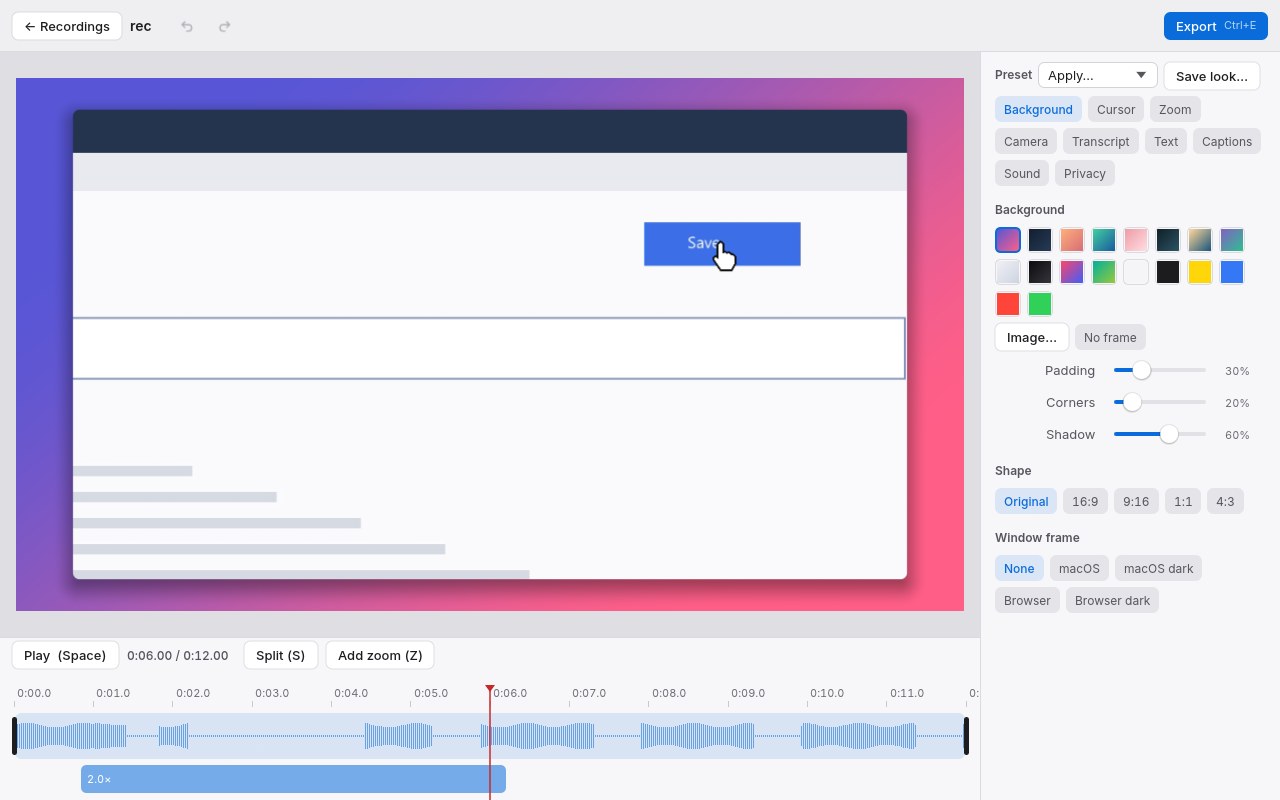
Automatic zoom
The camera follows clicks and typing and glides back out. Move, resize or add zooms on the timeline.
Looks finished
Redrawn cursor with click ripples, backgrounds, padding, rounded corners, shadow, window frames, camera bubble and layouts.
Edit by text
Captions and a transcript made on your computer; delete words, filler and silences from the text and the video follows.
Safe recordings
Saved in one-minute pieces so a crash loses nothing; typed characters are never recorded; sensitive text on screen can be blurred.
Full version
- Everything is free for 7 days. After that recording and editing keep working, but exported videos carry a small “Aircast · trial” mark.
- Buy once — no subscription. Your licence key works on your own computers, now and for future versions.
- Refund within 14 days, no questions asked.
7일 무료 체험 후에도 녹화·편집을 쓸 수 있고, 내보낸 영상에 작은 표시만 들어갑니다. 한 번 결제, 14일 이내 환불.
Checkout by Paddle, our reseller (merchant of record). Cards, PayPal, Apple Pay and Google Pay.
Thank you! Your licence key — keep it somewhere safe:
In Aircast open Settings, paste the key into Licence key and press Enter.
Questions
- Does anything leave my computer?
- No. Recordings and edits stay on your computer. Captions use a speech model downloaded once from Hugging Face the first time you make them; buying the full version talks to Paddle and our licence service.
- Does it record what I type?
- No. Aircast notes only that you are typing (to zoom in on it), never which keys.
- Refunds
- Within 14 days of purchase, for any reason: use the link in Paddle’s receipt email or write to support@doublehash.app.
- Feedback
- Bugs and ideas go to aircast.telloo.io/feedback — post, vote and comment without an account.