 Aircade
FreeNo account to create, nothing to pay.
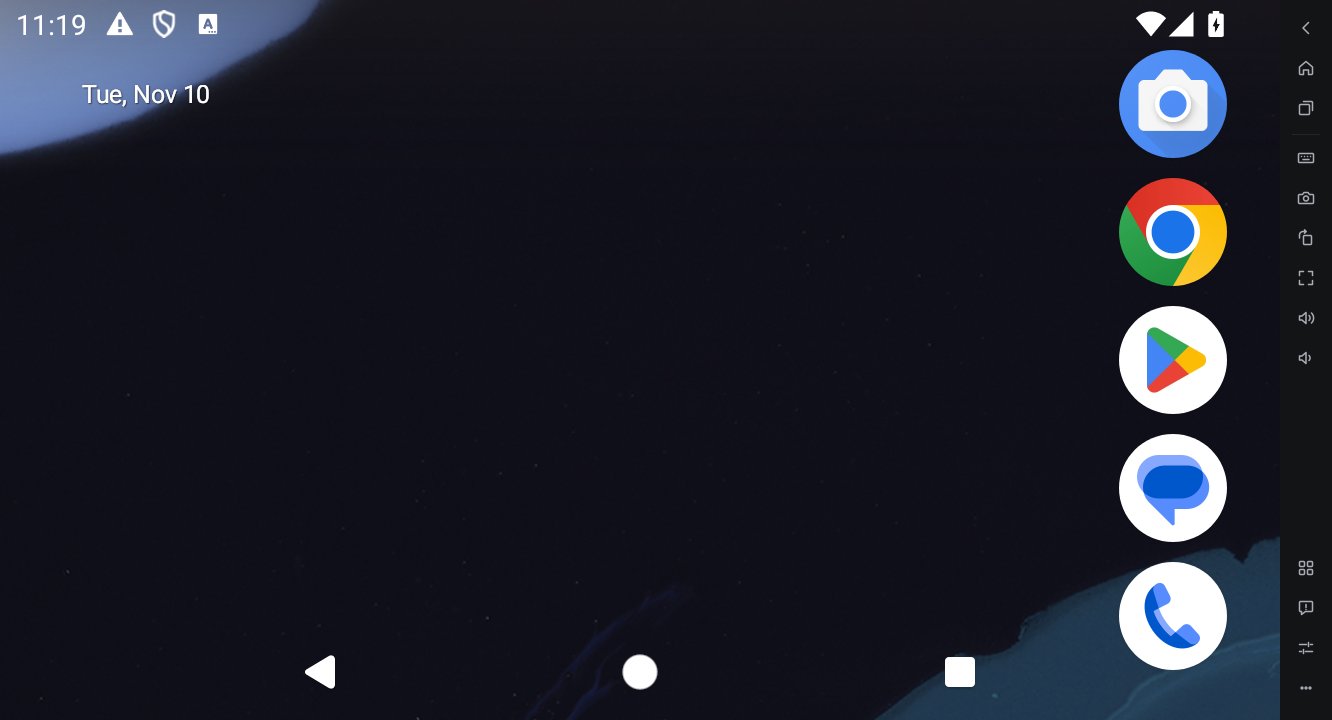
LightThe window is almost all Android, with one bar of controls on the right.
Plain AndroidNo storefront of picks. You see the Android home screen as it is.
What games need
- Key mapping — Put keys anywhere on screen: WASD movement, mouse look, skill buttons. Saved per game.
- Gamepads — Connect an Xbox, PlayStation or other controller and it follows your key map.
- Several devices at once — Add and clone devices in the Multi Manager, then arrange or mute every window at once.
- Screenshots and recording — One button, straight to your save folder.
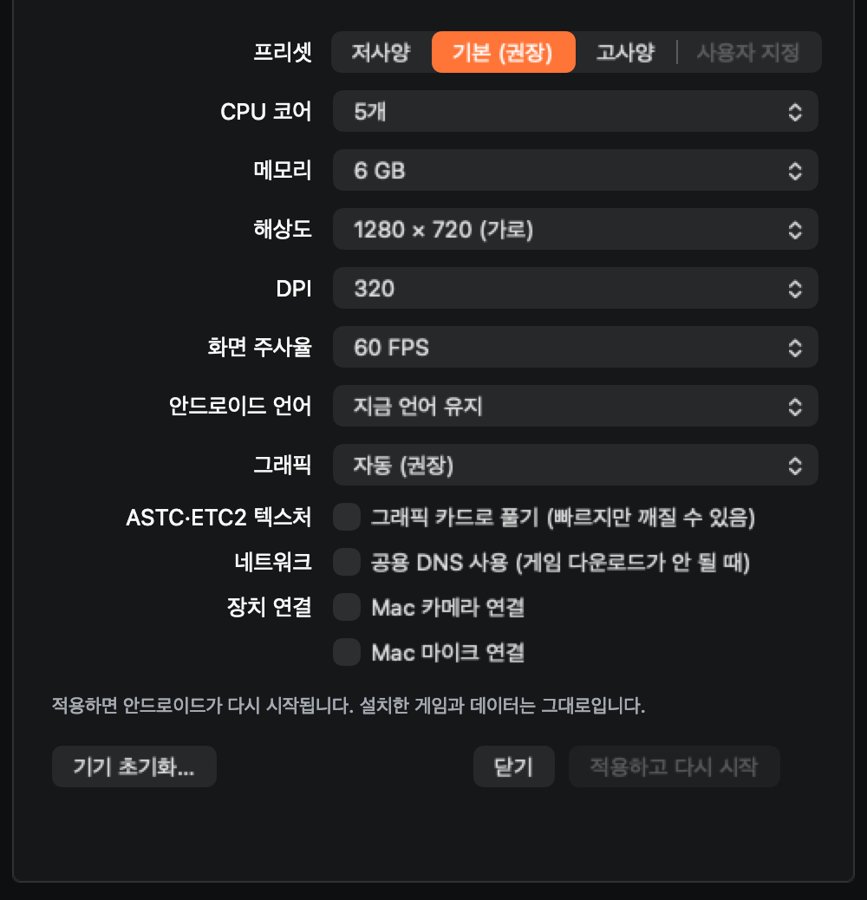
- Performance presets — CPU, memory, resolution, DPI and refresh rate (up to 120 FPS) in one preset.
- Drag and drop — APKs are installed; other files go to the shared folder.
- Location, camera, mic — Set a virtual location and connect your computer’s camera and microphone.
- Updates — The app tells you when a new version is out and updates in one click.
Fits your computer
Pick the Low, Default or High preset and CPU cores, memory and resolution are set together. If a game struggles, Aircade may suggest settings that suit it. Changing settings keeps your installed games and data.
Install
Mac
- Open the downloaded Aircade-mac.zip to get the Aircade app, and move it to your Applications folder.
- Open Aircade and click Install. Android is downloaded once (about 3 GB).
- When Android starts, sign in to the Play Store with your Google account and get your games.
Windows
- Unzip the downloaded Aircade-win64.zip and run Aircade.exe.
- If “Windows protected your PC” appears, click More info → Run anyway.
- Click Install to download Android. If virtualization is turned off, Aircade shows you how to turn it on.
Frequently asked questions
- Is it really free?
- Yes. In return, an ad shows on the loading screen while the app starts, and a small ad card appears now and then during play (a few times a day). Ads do not collect your personal information.
- Is it safe to sign in with my Google account?
- You sign in on Google’s own screen inside Android, and Aircade never sees your password. Games and account data stay on this computer.
- Can I use it alongside BlueStacks?
- Yes. You can run both at once and their devices stay separate.
- Does it work on an Intel Mac?
- No. On Mac, only Apple silicon (M1 or later) is supported.
- How do updates work?
- When the app starts it checks for a new version and asks you. Click “Update now” and it downloads, replaces itself and restarts. You can also use “Check for updates…” in the menu.
- Is the app available in other languages?
- Yes. It comes in 10 languages and follows your computer’s language. You can change it in Settings › App › App language.
- A game doesn’t work or is slow.
- Click ‘Report a problem’ in the sidebar. Diagnostic details are copied and the feedback board opens. Paste them there and tell us what happened.