Airpix · image editor
Crop, layer, export. In seconds.
Airpix opens in a blink. Paste a screenshot, crop it to a preset (Steam capsule, YouTube thumbnail, Instagram, 16:9…), drop a logo or an arrow on top, and copy or export. About 10 MB, fully offline, no account, no ads, no subscription.
켜자마자 바로 편집되는 가벼운 이미지 편집기. 자르기·레이어·텍스트·화살표·내보내기. 계정·광고·구독 없음.
Windows 10 or later, 64-bit. Portable: unzip and run airpix.exe, no installer. Mac version coming to the Mac App Store.
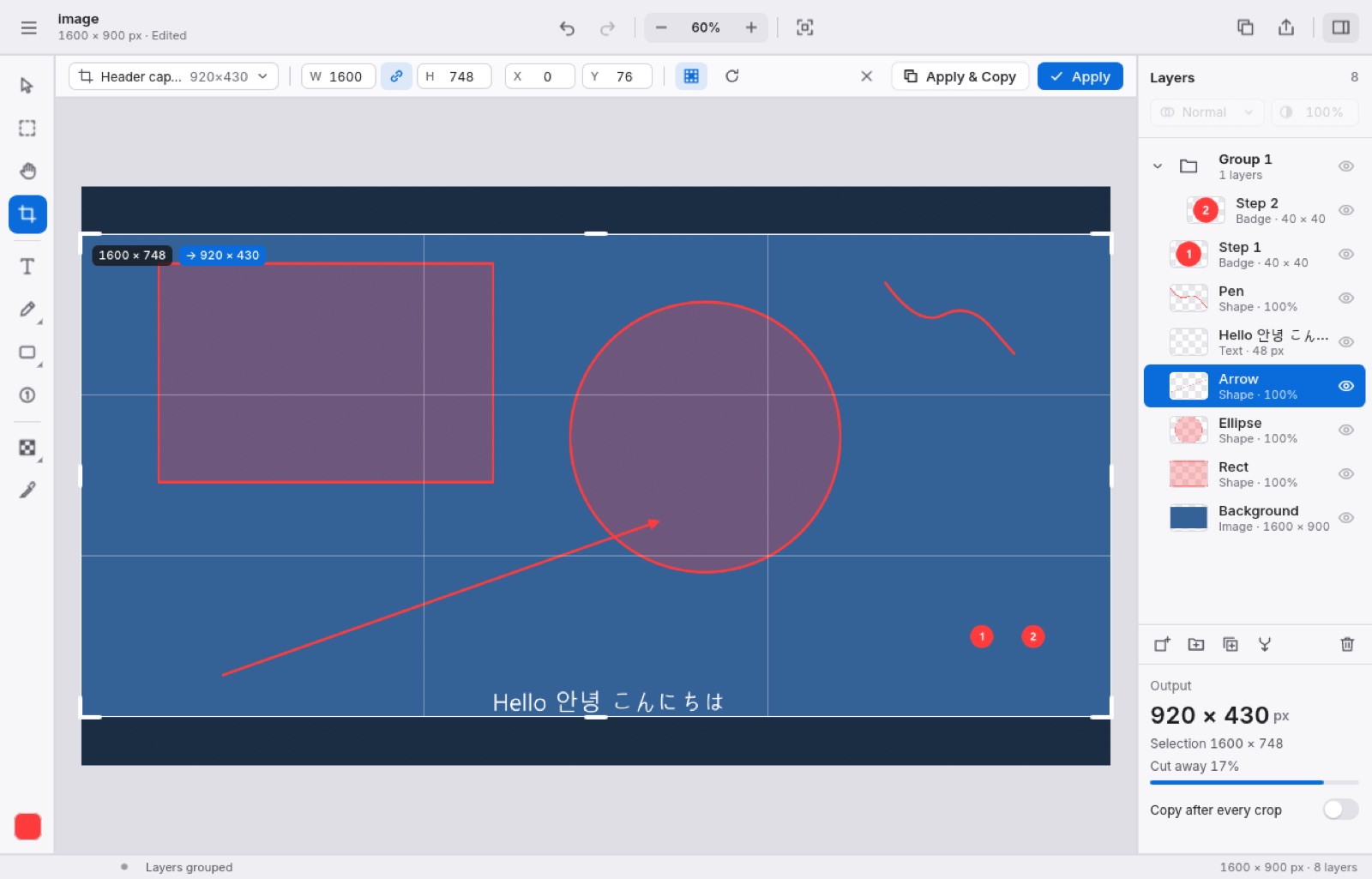
Crop to any size
Free, ratio and exact-size presets, numeric input, thirds grid.
Layers
Opacity, groups, ordering, merge and flatten. Click a layer on the canvas to select it.
Mark it up
Text in any system font, rectangles, ellipses, arrows, numbered badges, mosaic to hide details.
Opens what you have
PNG, JPEG, WebP, GIF, BMP, TIFF and Photoshop PSD with layers. Export PNG, JPEG, WebP or straight to the clipboard.
Full version
- Every feature is free for 7 days. After that everything keeps working, but exported and copied images carry a small “Airpix · trial” mark.
- Buy once and the mark is gone for good. Your licence key works on your own computers, now and for future versions.
- Refund within 14 days, no questions asked.
7일 무료 체험 후에는 내보낸 이미지에 작은 표시가 붙습니다. $4.99 한 번 결제로 영구 해제, 14일 이내 환불.
Checkout by Paddle, our reseller (merchant of record). Cards, PayPal, Apple Pay and Google Pay.
Thank you! Your licence key — keep it somewhere safe:
In Airpix open Help › About, paste the key and press Activate.
Questions
- How do I activate the key?
- Help › About in Airpix → paste the key → Activate. It is checked on your computer; Airpix never goes online.
- I lost my key.
- Open this page with your order ID:
doublehash.app/airpix?txn=txn_…(in Paddle’s receipt email), or write to support@doublehash.app. - Refunds
- Within 14 days of purchase, for any reason: use the link in Paddle’s receipt email or write to support@doublehash.app.
- Windows says “Windows protected your PC”.
- Airpix is new and not yet code-signed. Click More info › Run anyway.
- Feedback and bugs
- airpix.telloo.io/feedback